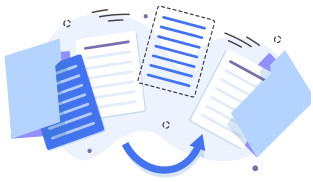
Signed contracts and reports come back at once, so accounting does not wait for scans

Settlements often stall for want of one signed document. In SignSafe the other side signs with a finger on a phone, and the finished PDF lands in your account right away. No printer, no scanner and no chasing to see who has not signed yet.

Signed documents for accounting in SignSafe are contracts, work orders and handover reports signed online, whose finished PDF returns to the sender’s account as soon as the signatures are in, with no printouts or scans. Accounting can be an observer receiving notifications, the status shows who has signed, and at larger scale the API returns the signed file to the right place in the company’s system.

Accounting and finance teams rarely collect signatures themselves, but they feel a missing one first. An invoice or a settlement waits for a contract, a work order or a report that someone has to sign and send back. Below we describe how SignSafe shortens that route and what it does not do.

What accounting gains

A document does not travel through print, sign and scan. It comes back as a finished PDF, and you know at what stage each signature is.

The file at once

When all signatures are in, the sender and every signer receive a copy, and the document is in the account.

A clear status

The document list shows by colour whether nobody, some or everybody has signed.

Sight without signing

Accounting can be an observer: it sees the document and receives notifications without signing.

An orderly archive

Signed documents stay in the account, and keyword search helps you find them.

What usually gets in the way

Settlements stall because one signed document is missing

Accounting cannot close the matter, and the team responsible for the document has to chase the signature by phone and email.

The scan comes back unreadable or incomplete

Print, sign and scan are three chances for a mistake: a missing page, a crooked scan, a file saved under the wrong name.

Nobody knows who has signed and who has not

With documents that need several signatures you must ask each person separately instead of checking the state at a glance.

What you get

No scans

the signed PDF returns as a finished file, not a photo of a printout

One view

who has signed and who has not is visible on the document list

Observer

accounting sees the document and gets notifications without taking part in signing

How it works

Send the document for signature

Upload a PDF (A4 portrait) or choose a template and pick the people who need to sign, in any order or a fixed one.

Add accounting as an observer

The person from accounting sees the document and receives notifications, but does not sign or send the document.

The other side signs on a phone

They open the link from the email, fill in the fields and draw a signature with a finger. They do not create an account and print nothing.

The finished PDF returns at once

When everyone has signed, the sender and every signer receive a copy by email, and the document is on the document list in the account.

At larger scale the file goes into your system

Through the REST API the signed PDF can return to the right place in your system, for example a contractor profile or a project. Pricing is individual.

What you can do

  • Contracts with contractors and subcontractors as an example of documents needed for settlements
  • Work orders and contracts of mandate
  • Handover reports and acceptance protocols
  • Contract amendments
  • Declarations and confirmations required before settlement
  • Templates with fields for the other party to fill in, for example company details
  • Archiving signed documents in the account

Who it is for

  • Accounting and finance teams that wait for signed contracts, work orders and reports
  • Companies where settling with a subcontractor or contractor depends on a signed document
  • Project and operations teams that issue handover reports and need them back fast
  • Companies with a higher volume of documents that want the signed file to go straight into their system

Accounting will not start on invoices because signed documents are missing

The typical course is this: a contract or a report must come back signed before anyone closes the settlement. In SignSafe that stop shrinks to the moment the other side picks up a phone. They do not wait for a printer, a scanner or the post, and you receive the finished PDF at the moment the last person signs.

SignSafe does not issue invoices or post anything to the books. It is a tool for sending documents and collecting signatures that gives accounting a complete, signed file. The sending process is described in submitting documents for signature.

Who has signed and who has not: a status instead of asking around

On the “Your documents” list a dot next to each file shows the state of signatures: red means nobody has signed yet, yellow means some people have, green means everyone. You can search documents by keyword. If someone delays, the “Resend for unsigned” button repeats the invitation only to those people.

There are no automatic reminders, so nudging is one click by someone on your team. Accounting can follow the matter as an observer, without taking part in the signing.

An archive of signed documents in the account and beyond it

Signed documents stay in the account. The standard plan includes 1 GB for documents, and if you need more or want to keep the archive on your side, we can connect to an external drive or the customer’s server. This is agreed in the offer, with no technical detail on this page. We do not delete documents automatically.

A bulk export or a richer search we can build for you on request, but it is not a standard feature today. The whole process is described in electronic document workflow.

At larger scale: the signed PDF returns to the right place in your system

When there are many documents, moving files by hand stops making sense. Through the REST API sending can start from your system, and the signed PDF returns to the right place: a contractor profile, a project, an employee record or a lead. We practically do the whole integration ourselves, and we provide the REST API documentation after an enquiry about an offer.

Details are in API integration. We do not name systems here, because the scope is agreed individually.

Security and legal basis

Documents are stored on servers in the European Union (OVH hosting), and for business and API customers we conclude a data processing agreement.

A signed document comes with a signature summary page showing who signed, when, from which IP address and device, plus a unique certificate identifier.

A signature in SignSafe is a handwritten signature and, according to the legal opinion of the law firm Gałecki and Associates of 21 August 2023, meets the written form requirement (Art. 78 of the Polish Civil Code). It is not a qualified signature, but where one is required, we can connect it in SignSafe. This is a summary of an opinion, not legal advice.

Legal and handwriting-expert opinions

Legal and handwriting-expert opinions to download

Gałecki and Associates, legal adviser Tomasz Gałecki · 21 August 2023

Legal nature of a signature placed by hand on the touch screen of an electronic device

A signature placed in SignSafe is a handwritten signature, and a declaration of intent signed in the app meets the requirements of written form. If the signature did not qualify as handwritten, the declaration is still valid in documentary form. In legal effect it is equivalent to a qualified electronic signature: both preserve written form.

Download the opinion (PDF)

The opinions are in Polish. Summaries are a translation of their conclusions, not a legal opinion.

Pricing

One simple price: PLN 69 net a month

You pay for full access to the service, not for the number of documents. No yearly plan and no need to buy several accounts.

69PLN
net / month
Try it free

Free trial to start

Buy a subscription
Need the API or switching provider?The identical feature package at 50% of your current price, on presentation of an invoice or offer.Request an API offer

They trust us

Companies from many industries use SignSafe: from staffing agencies and real estate to catering, transport and medical services.

Customer reviews

“SignSafe has significantly improved how we sign contracts with employees and clients. Because documents can be signed remotely, with no need to come to the office in person, recruitment and hiring have become more efficient and less time-consuming. The tool is fully compliant with legal regulations, which gives us confidence that all contracts are fully binding. It is an ideal solution for the temporary-work industry, where operational efficiency is crucial.”
Michel T.R2T — temporary employment agency
“With SignSafe we can sign real-estate brokerage agreements and reservation agreements with clients remotely, which speeds the process up considerably. Confirming terms with prospective buyers is quick and convenient, even with people abroad. It is one of the few tools that lets you sign a reservation agreement online, removing the need for in-person meetings.”
Dorota R.Property Gold — real-estate sales agent
“SignSafe has revolutionised how we manage documents in our restaurant. Suppliers can sign contracts and orders remotely, which greatly speeds up procurement. Employees easily accept schedules and regulations, and clients sign reservation and event agreements online, saving time and making things more convenient for everyone.”
Kamila F.Restauracja Mimosa — catering and restaurant business

Reviews are translated from Polish.

Frequently asked questions

Where can I find an e-signature platform so the signed file comes straight back, with no scans?

SignSafe works like this: the other side signs with a finger on a phone, and when all signatures are in, the finished PDF goes by email to the sender and every signer and into the account. Nobody prints or scans anything. The standard plan costs PLN 69 net per month.

Can accounting see a document without signing it?

Yes. You can add an observer who neither signs nor sends the document but sees it and receives notifications. This suits accounting, HR or a line manager.

How do I know who has signed a document and who has not?

From the document list. The colour of the dot shows the state: red is no signatures, yellow is partial, green is complete. You see the status in real time, and you can search documents by keyword.

Does SignSafe send automatic reminders about unsigned documents?

No. There are no automatic reminders. You can manually use the “Resend for unsigned” button, which repeats the invitation only to people who have not yet signed.

Does SignSafe issue invoices or post documents to the books?

No. SignSafe is a tool for sending documents and collecting signatures, not an invoicing or accounting system. It gives accounting a signed PDF, and further processing happens in your own systems.

Can the signed PDF go automatically into my system?

Yes, through the REST API. Sending can start from your system, and the signed PDF returns to the right place, such as a contractor profile or a project. We practically do the whole integration ourselves, pricing is individual and we provide the documentation after an enquiry about an offer.

Where are signed documents stored and how much space does the plan include?

Documents are in your account, on servers in the European Union (OVH hosting). The standard plan includes 1 GB. For larger needs we can connect to an external drive or the customer’s server, agreed in the offer. We do not delete documents automatically.

Does a signed document carry proof of who signed it and when?

Yes. SignSafe attaches a signature summary page to the signed file: the document name and number, the send and signing dates, the sender’s details, and for each signer the name, email, IP address, device and signing method, plus a unique certificate identifier.

Updated: 2026-10-05

Start your free trial and discover what SignSafe can do for you!

See in practice how easy it is to collect and place signatures online. You can test every feature before you decide.

Try it free
Try it free