
E-signatures without borders. Simplify your document workflow with e-signing.
SignSafe is a tool for electronic document workflow and for collecting signatures from people who have no easy way to sign. You send a document and the recipient signs it with a finger on a phone: one minute, no printing and no account.
 Collect signatures
 Fill in documents
 Sign by hand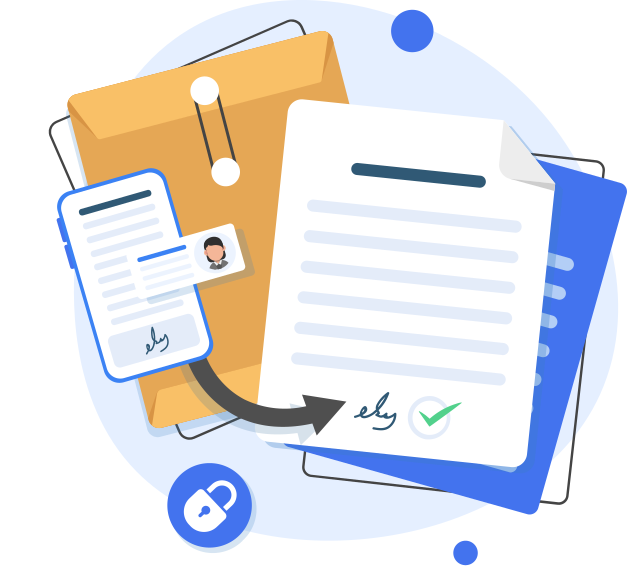
SignSafe is a tool for electronic document workflow and for collecting signatures from other people: foreigners, older people and anyone without a qualified signature or another easy way to sign. You send a document by email and the recipient signs it on a phone, tablet or computer. A signature placed with a finger is a handwritten signature that, according to a legal opinion, meets written form. Companies connect SignSafe to their own system through a REST API.
What makes SignSafe better?
You send the document from your computer and anyone can sign it: a customer, employee, contractor or partner. No printer, no scanner, no meetings. You close deals during a phone call, not next week.
Collect signatures from many recipients
Add a document, enter the recipients, mark the signature places and send the invitations. You follow the signing progress live.
Works on every device
A browser on a phone, tablet or computer is enough. Signers install nothing, and you can reach your documents from anywhere.
Send documents with no registration
The signer gets a message with a link and signs with a finger on the screen. No account, nothing to install.
Paying a competitor for e-signatures? We will offer 50% of that price.
We deliver the identical feature package you use today with Autenti, Pergamin, DocuSign or Adobe Sign, at a price 50% lower than your current one. Just show us an invoice or offer from your current provider. We take care of the rest.
- Switching provider is simple and low-effort: we do practically everything
- Integration with your system through a REST API
- Full flow: sending, signing, signed document returned to your system
The identical feature package at the identical price minus 50%. Offer on presentation of your current provider’s invoice or offer; terms are agreed individually.
One simple price: PLN 69 net a month
You pay for full access to the service, not for the number of documents. No yearly plan and no need to buy several accounts.
- No limit on documents or signatures
- Monthly billing, no yearly commitment
- One account is enough
- 1 GB cloud storage for documents
- Cancel at any time
Free trial to start
Buy a subscriptionLegal and handwriting-expert assurance
A signature placed in SignSafe is a handwritten signature, and a declaration of intent signed in the app meets the requirements of written form. This is the finding of a legal opinion by the law firm Gałecki and Associates from 2023. In legal effect it is equivalent to a qualified electronic signature, although it is not one. Signatures can be examined with forensic methods, as confirmed by an opinion from handwriting experts.
Handwritten signature, written form
Legal opinion: a signature in SignSafe is handwritten and the declaration of intent meets written form. If it did not, it is valid in documentary form.
Forensic handwriting-expert opinion
Signatures from SignSafe allow forensic comparative handwriting examination. Opinion of Pracownia Grafologiczna, 2024.
Opinions for healthcare and real estate
Legal opinions on using SignSafe in medical facilities and for real-estate brokerage agreements. Available to download.

Easy integration with any system
Automate signature collection through the SignSafe REST API. You click “send” in your system, SignSafe delivers the document for signing and returns the signed version, for example to a customer, employee, lead or project record. You keep working in a familiar environment. Switching provider is simple because we do practically everything.
R2T, a temporary employment agency, signs contracts with temporary workers and with clients through SignSafe. Signing is integrated with R2T’s dedicated system for running the agency.
See the R2T implementationSee how simple it is
The whole process takes five steps and needs no technical knowledge. A document reaches signers within minutes.
Prepare the document
Upload a PDF (A4 portrait): a contract, consent, statement or protocol. Or use a ready template and reuse it.
Define recipients
Enter the email, first and last name of the people who should sign. Save contacts in your list and in groups, and add yourself in one click. Choose whether everyone signs together or in order.
Mark signature places
Show the signature markers and the fields the recipient fills in. Choose whether each signature is placed separately or one signature is copied to all of a person’s fields.
Send the document
SignSafe sends the signing invitations. You track status in the document list (with search) and resend with one click to people who have not signed yet.
Sign the document
The recipient opens the document in a browser, fills in the fields and signs with a finger (with a mouse on a computer). When everyone has signed, the finished document with a signature record (who signed, when and from which device) is sent to your email.
Two ways to prepare, four ways to sign
Sending that fits how you really work: a one-off document or a reusable template, signing from an email or on a device at your location.
Your own PDF document
You upload a PDF and choose yourself where the signatures should appear.
A template with fields to fill in
You reuse the same document and define fields for the other side. Ideal when they always supply some data, such as their company details or their own.
Email and one-time code
The recipient gets an email on their own device and opens the document with a one-time code, with no password and no account.
Email and account password
A person with a SignSafe account opens the document from the email with their account password.
Device at your location
Service shop, retail store, mechanic, pick-up point: the customer signs on a device at the location, with no login.
Courier and delivery tablet
The recipient signs on the courier’s or delivery driver’s tablet, the same way as on a device at a location.
How can we help?

Filling in documents
Quickly fill in and sign documents on a computer or phone. You get a document with marked fields, complete them and sign as you would on paper. The finished PDF is ready at once.
Learn more →
Collecting signatures
Collect signatures from third parties on electronic documents. Define a document template, mark the fields for the recipient and send. No technical knowledge needed.
Learn more →
Signing documents
Place handwritten signatures on PDF documents with a smartphone. Sign anywhere, anytime, and with many documents you select them and sign them all at once.
Learn more →Everything about remote signing and document workflow
Remote signature
How to sign when the parties are in different cities or countries.
Electronic document workflow
From preparing the file to the archive, paper-free.
Handwritten e-signature online
A finger-drawn e-signature and its handwriting-expert verification.
How to sign a document online
From anywhere, with anyone, step by step.
Signing contracts online
Contracts with employees, customers and contractors.
E-signatures: types and differences
What an e-signature is and how it differs from a qualified signature.
How to choose an e-signature tool
Selection criteria, questions for vendors and arguments for management.
Signature status and notifications
Who has signed and who has not, without chasing by email.
Proof of sending and signing
What remains after a document is sent and signed.
Contract with a remote candidate
Signing with a new hire from another city, with no visit.
Signed documents for accounting
The file comes back to the account at once, with no printing or scans.
Contractors without a qualified signature
Signing with no registration in yet another system.
E-signatures in your industry
Same features, different documents. See how SignSafe works in specific industries.
They trust us
Companies from many industries use SignSafe: from staffing agencies and real estate to catering, transport and medical services.















What our customers say
“SignSafe has significantly improved how we sign contracts with employees and clients. Because documents can be signed remotely, with no need to come to the office in person, recruitment and hiring have become more efficient and less time-consuming. The tool is fully compliant with legal regulations, which gives us confidence that all contracts are fully binding. It is an ideal solution for the temporary-work industry, where operational efficiency is crucial.”
“With SignSafe we can sign real-estate brokerage agreements and reservation agreements with clients remotely, which speeds the process up considerably. Confirming terms with prospective buyers is quick and convenient, even with people abroad. It is one of the few tools that lets you sign a reservation agreement online, removing the need for in-person meetings.”
“SignSafe has revolutionised how we manage documents in our restaurant. Suppliers can sign contracts and orders remotely, which greatly speeds up procurement. Employees easily accept schedules and regulations, and clients sign reservation and event agreements online, saving time and making things more convenient for everyone.”
“SignSafe has simplified our processes by letting drivers sign contracts and protocols remotely, without unnecessary trips to the office. Clients also sign contracts online, which speeds up formalities and makes things more convenient for both sides.”
Reviews are translated from Polish.
Latest articles
Learn more: read our latest posts
E-signature for logistics: what drivers can sign on a phone
E-signature for a logistics company: which protocols, confirmations and carrier contracts drivers can sign on a phone, and what to check with a lawyer.
2026-10-05 · Read →Patient signatures on a tablet: electronic consents in a medical facility
Patient signatures on a tablet or phone: when a consent needs written form, what the legal opinion for medical facilities says and how to roll out e-consents.
2026-10-05 · Read →Paperless contract signing: where to start in a company
Paperless contract signing step by step: which contracts you can sign online, which not (notarial deed, Art. 78¹ of the Civil Code) and how to roll it out.
2026-10-04 · Read →Why choose SignSafe?
SignSafe lets you sign documents online quickly, with no registration for the recipient and no extra software to install.
Signing without recipient registration
The recipient opens a link and signs with a finger on the screen. No account, nothing to install.
Handwritten signature and downloadable opinions
A handwritten signature on screen, with legal opinions and a handwriting-expert opinion you can download.
Intuitive interface
Simple to use at every stage: from adding a document to downloading the signed file.
API integration
Connect the systems you already use. When you switch provider, we do practically everything for you.
A solution for many industries
Staffing agencies, real estate, healthcare, legal sector, education, transport and more.
Frequently asked questions about SignSafe
What is SignSafe?
SignSafe is a platform for remote document signing and electronic document workflow. You send a document and the recipient signs it by hand on a phone screen, with no registration and no app to install.
Does the signer need a SignSafe account?
No. The signer receives a link and signs in the browser of a phone, tablet or computer. No account and nothing to install.
How much does SignSafe cost?
The standard plan costs PLN 69 net per month, billed monthly, and includes full access to the service with no limit on documents or signatures, plus 1 GB of document storage. One account is enough. There is a free trial period at the start and you can cancel at any time. API access is priced individually.
Does everyone get a copy of the signed document, and can I add an observer?
Yes. Everyone gets the signed document: the sender and every signer. You can also add an observer, a person who neither signs nor sends but sees the document and receives notifications, for example accounting, HR or a manager.
What does the signing record contain?
We attach a signing record to the signed document with details about the signature: who signed, their email address, IP address, the device used to sign, the date and time, the method and a unique SignSafe certificate identifier. It strengthens the document as evidence.
Does SignSafe have an API, and can it connect to my system?
Yes. The REST API lets you automate sending documents for signature from your system and receive the signed documents back, for example into a customer, employee or project record. This is how it works at the staffing agency R2T, integrated with its dedicated system. Terms are priced individually.
I use DocuSign, Autenti, Pergamin or Adobe Sign. Can I switch to SignSafe for less?
Yes. We offer the identical feature package at a price 50% lower than your current one if you show us an invoice or offer from your current provider. This is an offer for API customers; terms are agreed individually.
Is a SignSafe signature legally valid?
Yes, within the limits described in the legal opinion. A signature placed in SignSafe is a handwritten signature and the declaration of intent meets written form (opinion of the law firm Gałecki and Associates, 2023). If the signature did not qualify as handwritten, the declaration is valid in documentary form. It does not replace a notarial deed, and where a qualified electronic signature is required we can connect one. This is a summary, not legal advice.
Is SignSafe a qualified or eIDAS-compliant signature?
The handwritten signature in SignSafe is neither a qualified electronic signature nor an electronic signature within the meaning of eIDAS. According to the legal opinion it is a handwritten signature, equivalent in effect to a qualified one: both preserve written form. When a qualified electronic signature is required, we can connect it in SignSafe.
Does SignSafe support a qualified signature?
Yes, we can connect a qualified signature. It is a separate capability alongside the handwritten signature. We agree the details individually in the offer.
Is switching e-signature provider to SignSafe burdensome?
No. Switching through a REST API integration is simple and we do practically everything. You show an invoice or offer from your current provider and we prepare the identical feature package at a price 50% lower.
Can I send one document to many people at once?
Yes. You can send the same document to many recipients at once and see who has already signed. Frequent recipients can be saved in a contact list.
What documents can I sign in SignSafe?
Contracts, consents, statements, protocols and other PDF documents with employees, customers, contractors and business partners.
Where are documents stored?
Service data, including documents and signers’ data, is stored on servers in the European Union (OVH hosting). The privacy policy gives the details.
Start your free trial and discover what SignSafe can do for you!
See in practice how easy it is to collect and place signatures online. You can test every feature before you decide.